Problem Description
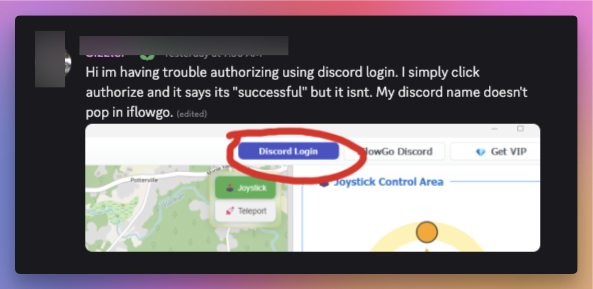
When you follow the tutorial and click Discord Login:
-
You go through the browser and authorize iFlowGo with Discord.
-
After a few seconds, your Discord username should appear on the iFlowGo page.
-
But sometimes, even after authorization, the page still shows the Discord Login button instead of your username — this means there’s an issue.
Quick Fix (Try This First)
A hotfix is already live. If you need to use iFlowGo right now, temporarily change your Discord display name to standard English letters only, then reopen the app.
Step-by-Step Solutions
Step 1 — Switch Your Browser (resolves most cases)
Avoid Chrome, Firefox, and Safari — these browsers may block iFlowGo API requests due to strict security policies.
Instead, use one of the following:
| Browser | Download |
|---|---|
 Shift Browser (recommended) Shift Browser (recommended) |
https://shift.com/ |
| Opera Browser |
https://www.opera.com/ |
Re-authorize Discord using the browser above. In most cases, this alone fixes the issue.
Step 2 — Check Your Network Environment
If switching browsers didn’t help:
- Close the iFlowGo program completely.
- Your Wi-Fi router or wired network may have strict security rules that block iFlowGo traffic.
- Fix: Turn on your iPhone’s Personal Hotspot and connect your computer to it.
- Reopen iFlowGo and authorize again — your Discord username should now appear.
Step 3 — Restart Your Computer
If the issue still persists after Steps 1 and 2:
- Restart your computer
- After reboot, keep background programs to a minimum
- Open iFlowGo again and retry Discord login
This clears background conflicts that may be interfering with the authorization process.
Step 4 — Reinstall iFlowGo from the Official Website
If none of the above steps work, your local installation may be corrupted or outdated. A clean reinstall usually resolves this.
- Uninstall iFlowGo from your computer completely.
- Visit the official website to download the latest version: iflowgo.com
- Install the freshly downloaded version.
- Reopen iFlowGo and try Discord login again.
Always download iFlowGo from the official website only. Third-party sources may distribute outdated or modified versions.
Video Walkthrough
A short video explanation is available — it covers the Chrome/Safari/Firefox login issue and demonstrates why Shift Browser works best.